
My team members can’t find their invitation email. How do I resend?
If your invited team member can't find their invitation email, first have them check all spam and junk folders.
If it still cannot be located, you can send them their activation link directly from within the product by following the steps below:
- Navigate to your Account page
-
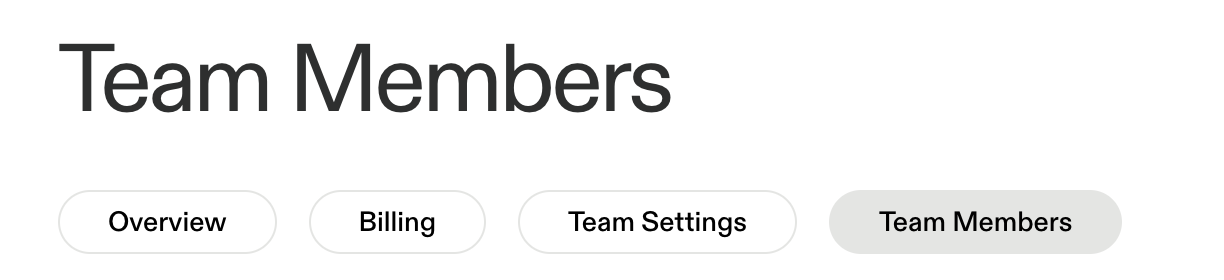
Toggle over to the "Team Members" page
-
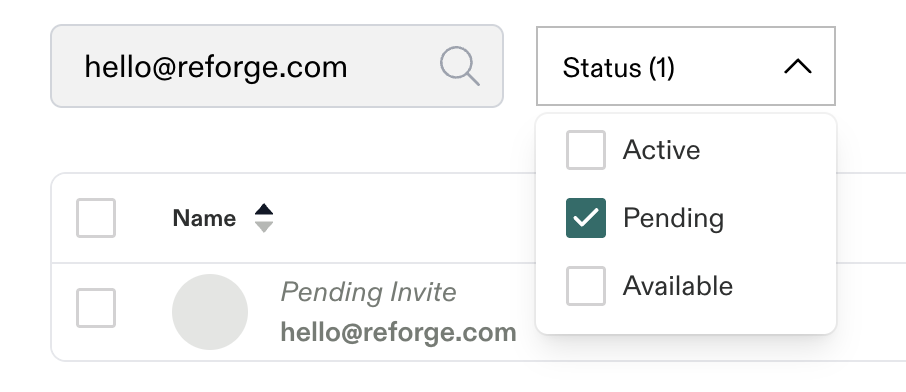
Search for the email address of the Team Member who cannot locate their invitation email (you can also filter based on their Pending status)
-
Copy that person's unique invitation* link on the right-hand side of your screen

- Send that invitation link to the Pending Member directly via email or internal company communication tool.
*Each invite link is unique to each user. Be sure you are sending the correct invitation link to the team members who have not yet accepted their invitation.
📌 If you or your team member continues to experience issues, please reach out to hello@reforge.com and we will be happy to assist.